
Find what fills your disk.
Clean it safely.Tìm thứ đang chiếm ổ đĩa.
Dọn dẹp an toàn.
DiskLens is a fast, open-source disk space analyzer and cleaner for macOS and Linux. See every folder at a glance, spot what grew, and free space without risking your system. DiskLens là công cụ phân tích và dọn dung lượng ổ đĩa nhanh, mã nguồn mở cho macOS và Linux. Nhìn toàn bộ thư mục trong một cái nhìn, biết thứ gì đang phình ra, và giải phóng dung lượng mà không lo hỏng hệ thống.
Everything you need to reclaim spaceMọi thứ bạn cần để lấy lại dung lượng
From a quick look at your home folder to a deep clean of developer junk.Từ cái nhìn nhanh vào thư mục home đến dọn sạch rác của lập trình viên.
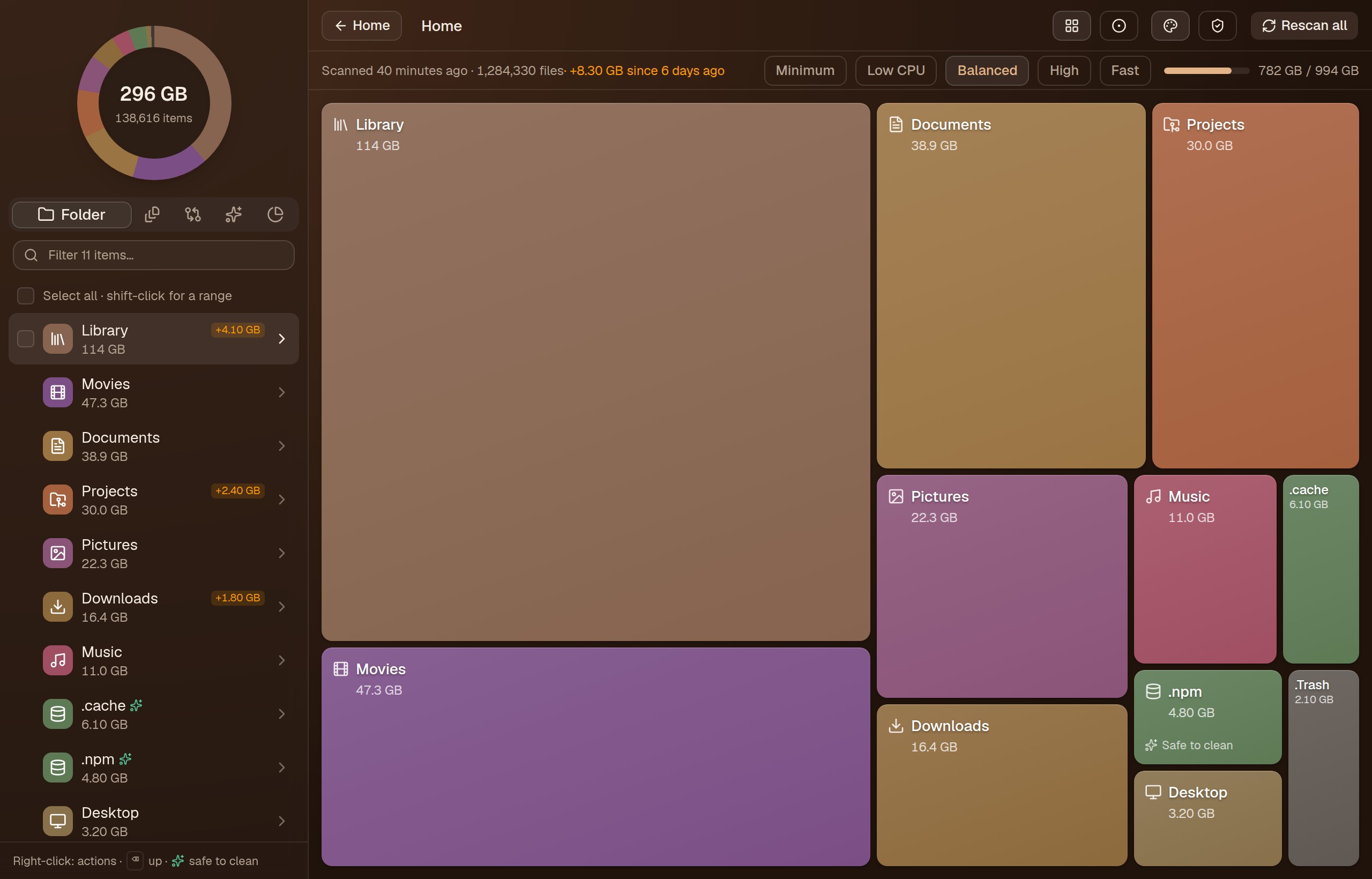
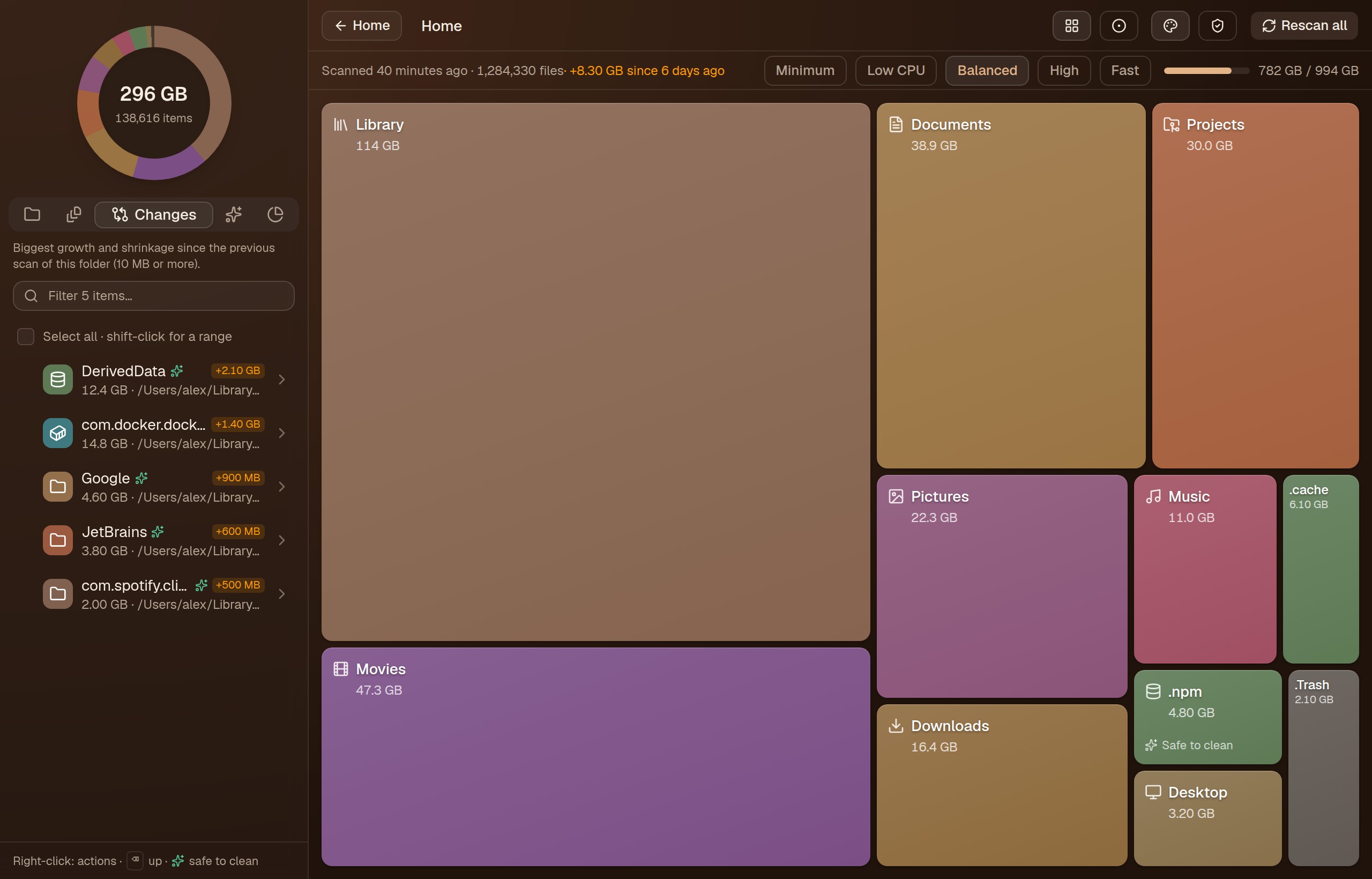
Treemap of any folderTreemap cho mọi thư mục
Click a tile to drill in. Every tile stays visible, so small folders don't vanish next to a 200 GB one.Bấm vào ô để đi sâu hơn. Mọi ô đều hiển thị, thư mục nhỏ không bị biến mất bên cạnh thư mục 200 GB.
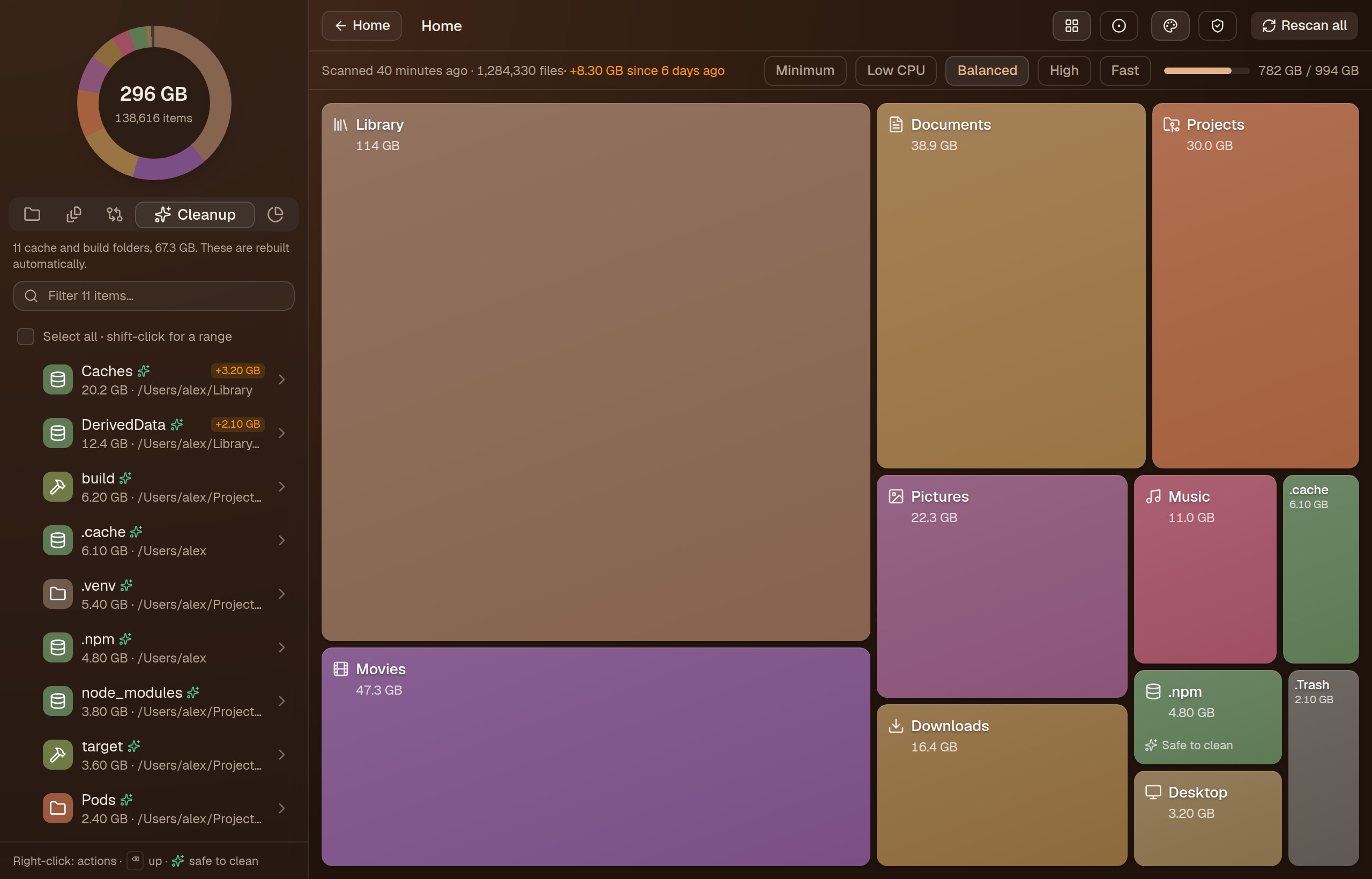
Knows what is safe to cleanBiết thứ gì dọn được an toàn
Caches, build output, node_modules, Docker, AI models and more are colour-coded and rated by safety.Cache, build output, node_modules, Docker, model AI… được tô màu và đánh giá mức an toàn.
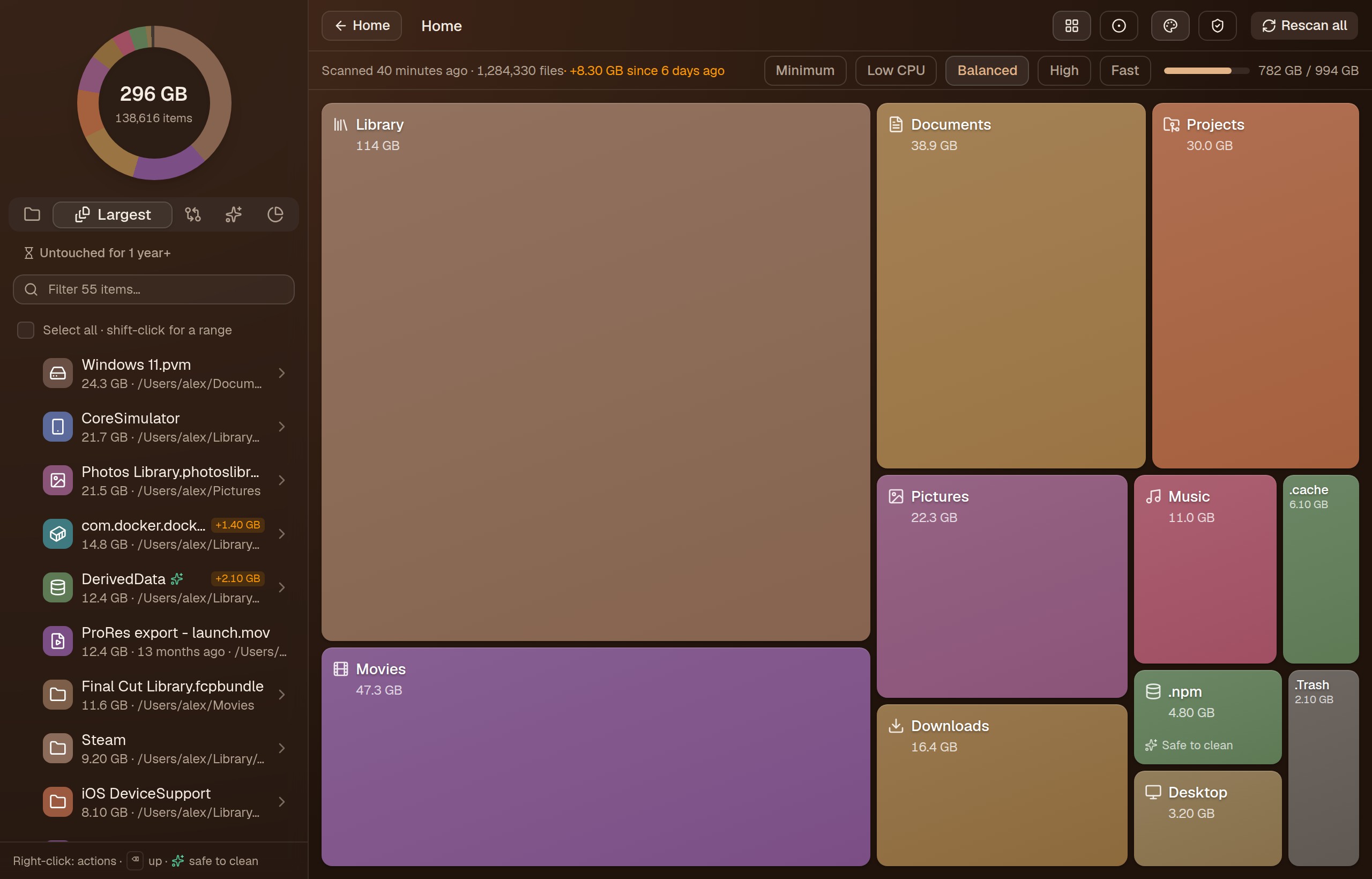
Changes since last scanThay đổi từ lần quét trước
Every folder shows how much it grew or shrank, and a Changes tab lists what grew most.Mỗi thư mục cho biết tăng hay giảm bao nhiêu, tab Changes liệt kê những thứ phình to nhất.
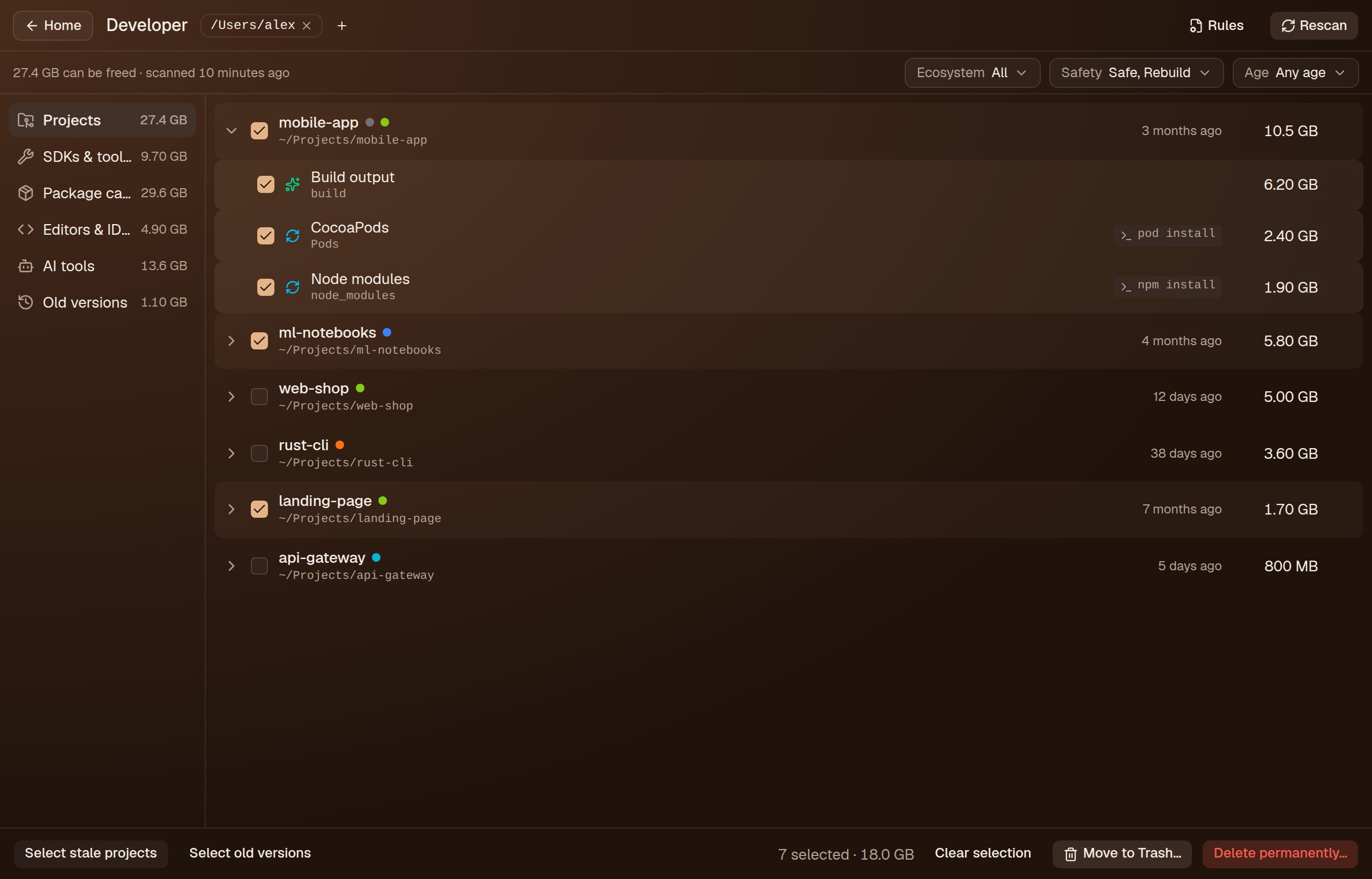
Developer cleanupDọn dẹp cho dev
Projects, SDKs, package caches, IDE and AI tool caches, old versions and git worktrees, filtered by ecosystem, safety and age.Project, SDK, cache package, cache IDE và công cụ AI, phiên bản cũ và git worktree, lọc theo hệ sinh thái, mức an toàn và độ cũ.
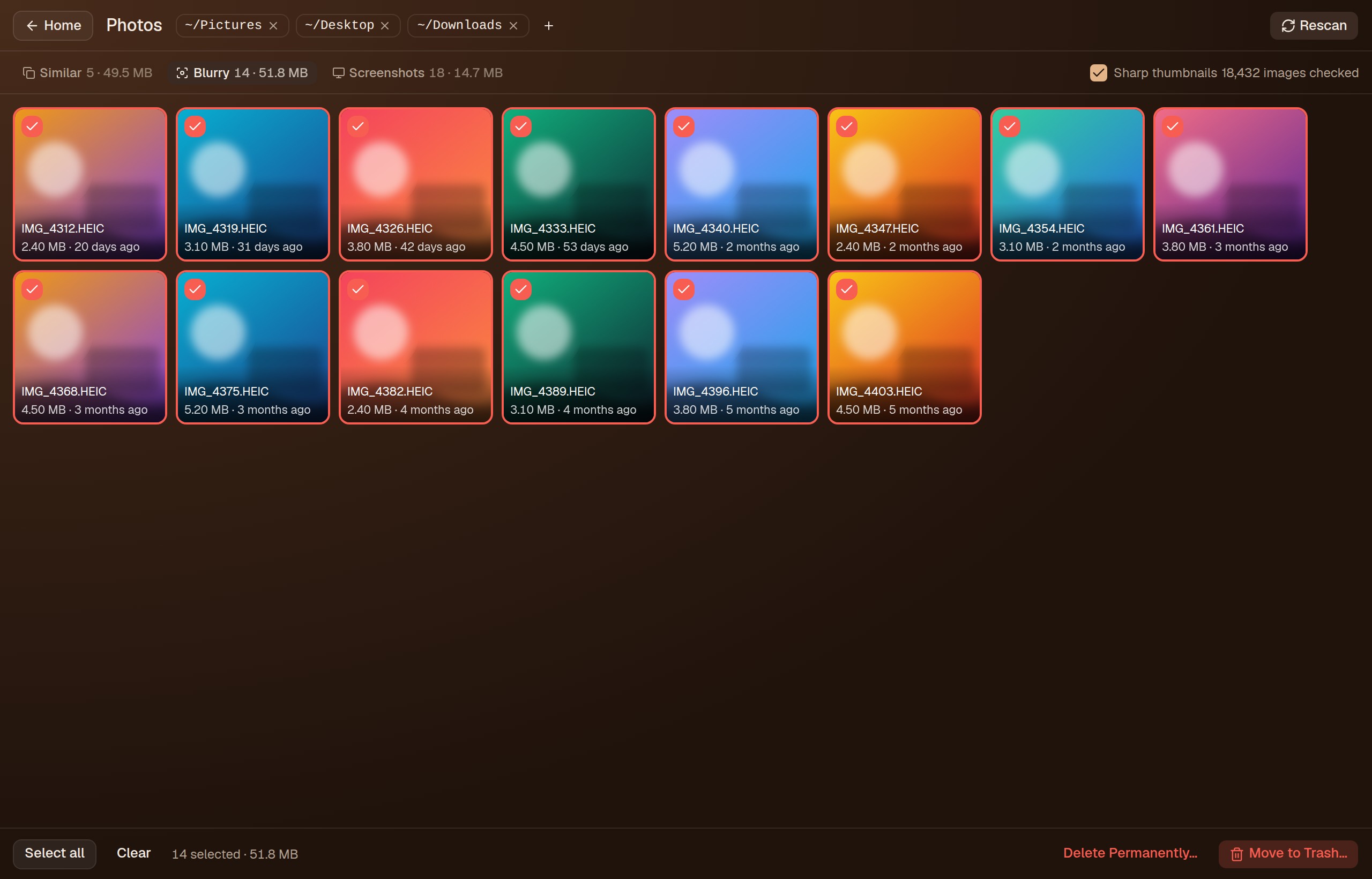
Photo cleanupDọn ảnh
Finds blurry photos, screenshots and near-identical shots, and keeps the best of each group.Tìm ảnh mờ, ảnh chụp màn hình và ảnh gần giống nhau, giữ lại tấm đẹp nhất của mỗi nhóm.
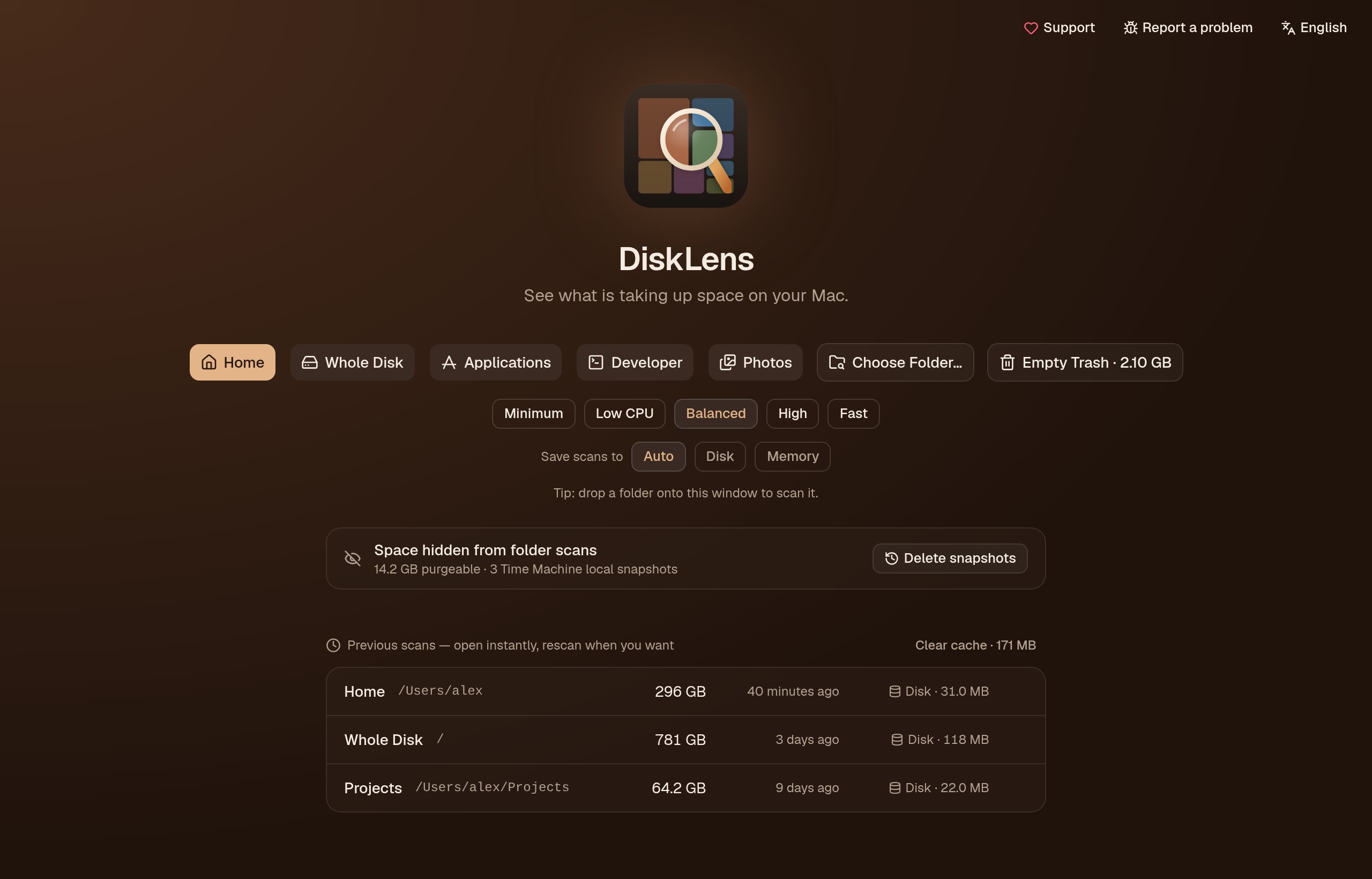
Fast, and gentle on your machineNhanh và nhẹ máy
Pick how many CPU threads a scan may use. Results are cached, so earlier scans open instantly — on disk, or in memory when the disk is nearly full.Chọn số luồng CPU cho mỗi lần quét. Kết quả được cache nên mở lại tức thì — lưu trên đĩa, hoặc trong RAM khi đĩa sắp đầy.
Built so you can't delete by accidentThiết kế để không xoá nhầm
Every delete goes through the same guard, and system folders are always refused.Mọi thao tác xoá đều qua cùng một lớp bảo vệ, thư mục hệ thống luôn bị từ chối.
- 1Move to Trash asks once, and you can restore from the Trash.Chuyển vào Thùng rác hỏi một lần, và bạn khôi phục lại được.
- 2Delete permanently always asks twice, with Cancel focused so Enter never wipes anything.Xoá vĩnh viễn luôn hỏi hai lần, nút Huỷ được focus nên bấm Enter không xoá nhầm.
- 3Protected paths such as
/,/usrand your home folders can never be deleted.Đường dẫn được bảo vệ như/,/usrvà các thư mục home không bao giờ bị xoá.
macOS and LinuxmacOS và Linux
Most of DiskLens works the same everywhere. A few features rely on macOS-only system services. Windows is planned.Phần lớn tính năng giống nhau trên cả hai hệ điều hành. Một vài tính năng dùng dịch vụ riêng của macOS. Windows đang trong kế hoạch.
| FeatureTính năng | macOS | Linux |
|---|---|---|
| Treemap, largest files, changes since last scanTreemap, file lớn nhất, thay đổi từ lần quét trước | ✅ | ✅ |
| Cleanup suggestions and developer cleanupGợi ý dọn dẹp và dọn dẹp cho dev | ✅ | ✅ |
| Safe deletes (Trash, two-step permanent delete)Xoá an toàn (Thùng rác, xoá vĩnh viễn hai bước) | ✅ | ✅ |
| Low CPU mode and speed levelsChế độ tiết kiệm CPU và các mức tốc độ | ✅ | ✅ |
| Photos: blurry, screenshots, similar shotsẢnh: mờ, chụp màn hình, ảnh giống nhau | ✅ | ⚠️ no HEICkhông có HEIC |
| Menu bar / tray iconBiểu tượng thanh menu / khay hệ thống | ✅ | ⚠️ AppIndicator |
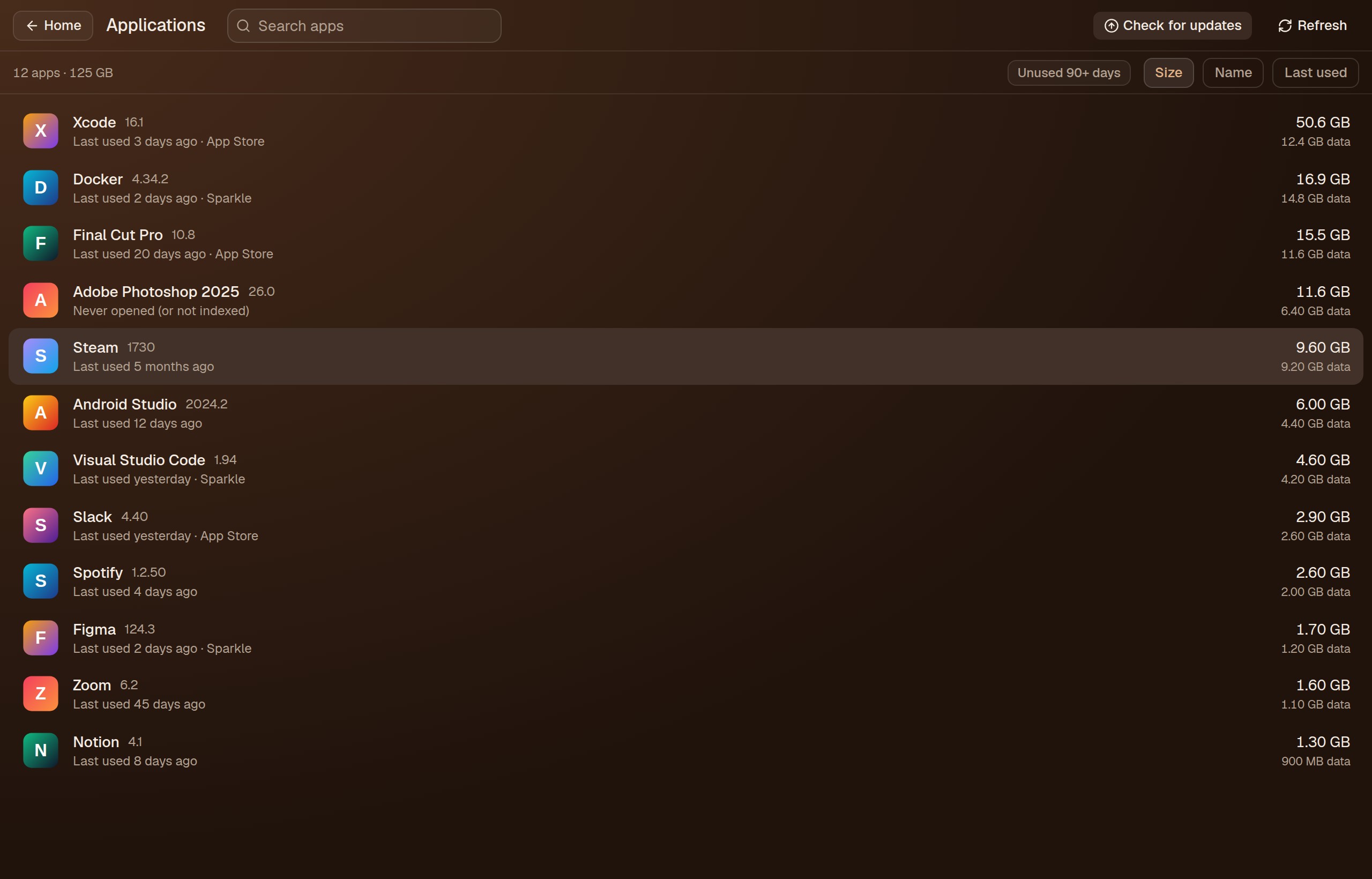
| Applications: sizes, updates, uninstallỨng dụng: dung lượng, cập nhật, gỡ cài đặt | ✅ | — |
| Time Machine snapshots and purgeable spaceSnapshot Time Machine và dung lượng purgeable | ✅ | — |
Private by designRiêng tư từ thiết kế
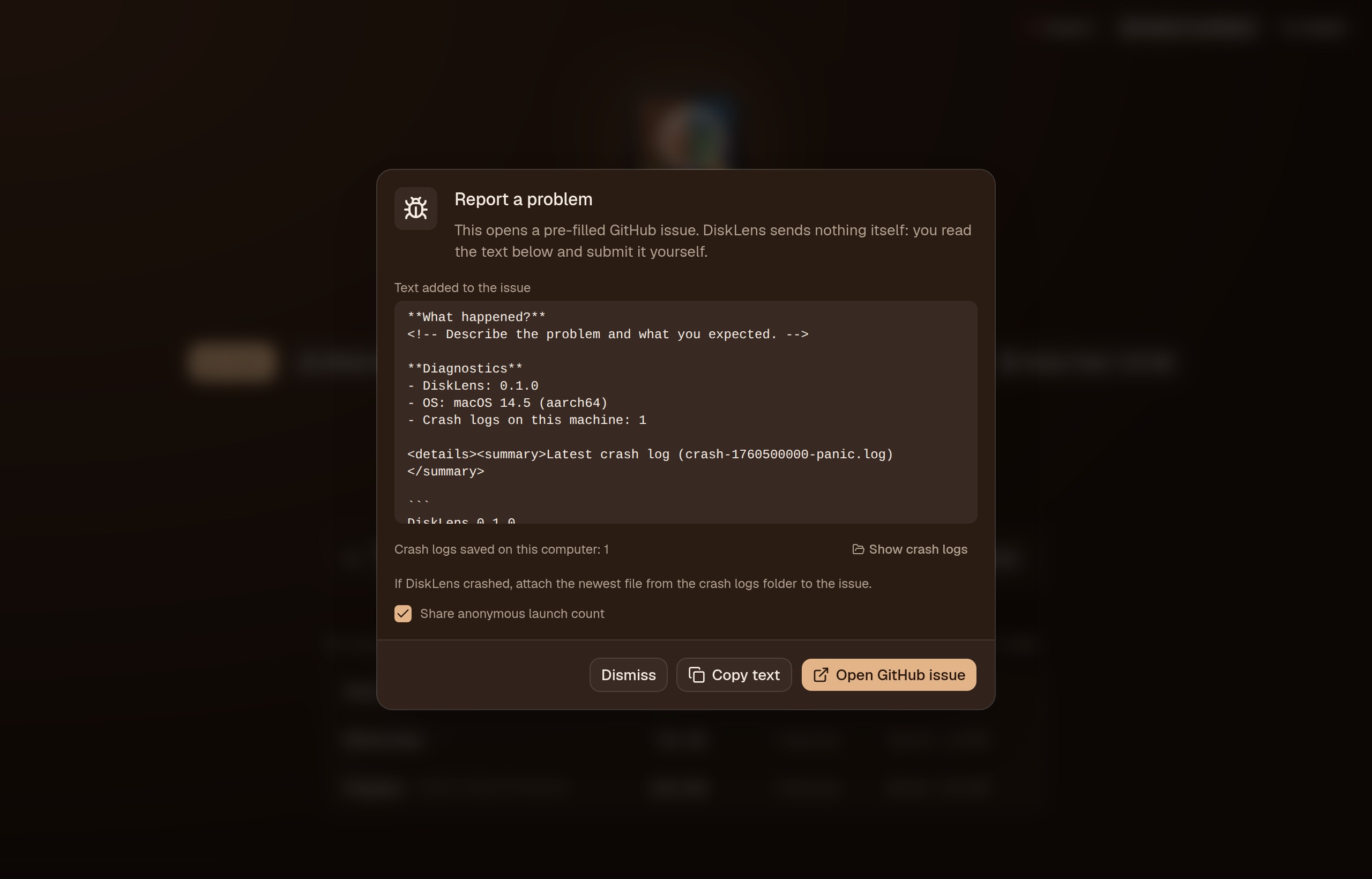
DiskLens works offline. Your files, paths and scan results never leave your computer. Crash logs stay local, and bug reports are only sent when you read and submit them yourself.DiskLens chạy offline. File, đường dẫn và kết quả quét không bao giờ rời khỏi máy bạn. Log lỗi chỉ lưu trên máy, và báo lỗi chỉ được gửi khi chính bạn đọc và bấm gửi.
Get DiskLensCài đặt DiskLens
Download a build from Releases, or build it yourself with Rust and Node.js.Tải bản build từ Releases, hoặc tự build bằng Rust và Node.js.
# build from source
git clone https://github.com/nhamhv/DiskLens.git
cd DiskLens
npm install
npm start
Status: early (0.x). Bug reports and pull requests are welcome.Trạng thái: giai đoạn đầu (0.x). Rất hoan nghênh báo lỗi và pull request.